







Key Takeaways
- A Salesforce-to-HubSpot migration is not a copy-paste project. It is an opportunity to clean up your CRM, simplify outdated processes, and rebuild your system around how your business actually works today.
- Most migration risks start before the import. Poor data quality, unclear ownership, weak field mapping, and lack of stakeholder alignment can create problems long after the data has moved.
- Not everything in Salesforce should move to HubSpot. Old fields, unused reports, outdated workflows, and irrelevant historical data should be reviewed before they become part of the new CRM.
- The migration should support sales and marketing alignment. HubSpot can help create a more connected go-to-market setup, but only if lifecycle stages, pipeline logic, handoffs, and reporting are designed intentionally.
- A successful migration ends with adoption, not import completion. The project is only successful when teams trust the data, use the system correctly, and rely on HubSpot as their source of truth.
Migrating from Salesforce to HubSpot can be a smart move for companies that want a CRM that is easier to adopt, more connected to marketing activity, and better aligned with the way their go-to-market teams actually work.
But a successful salesforce to hubspot migration is not just about exporting data from one system and importing it into another.
It requires clear business decisions: which data should move, which processes should be rebuilt, which automations still matter, and how sales, marketing, and customer-facing teams will use HubSpot after go-live.
HubSpot’s own import documentation emphasizes the importance of using unique identifiers to update records, avoid duplicates, and associate records correctly during imports. That is a good reminder that CRM migration is not only a platform project. It is also a data quality, process, and adoption project.
Why Companies Switch from Salesforce to HubSpot
Companies usually consider moving from Salesforce to HubSpot when their CRM has become too complex, too expensive to manage, or too disconnected from the way marketing and sales teams operate day to day.
Salesforce is a powerful and highly customizable platform, especially for organizations with complex enterprise sales processes. But that level of customization can also create operational overhead. In some companies, even simple CRM changes – such as updating fields, adjusting pipeline stages, changing reports, or modifying automation rules – may require admin support, complex configuration, or external help.
HubSpot is often attractive because it brings CRM, marketing, sales, service, automation, reporting, and customer data into one connected platform. HubSpot positions its Smart CRM as a single source of truth that connects business data across the customer platform.
That said, moving to HubSpot should not mean trying to recreate Salesforce exactly.
The better question is:
What should our CRM look like now, based on how our business actually works today?
Before You Migrate: Pre-Migration Checklist
Before starting the actual HubSpot crm migration, the team should prepare the data, define the scope, and align on the business logic behind the migration.
1. Define why you are migrating
Start with the business reason.
Are you trying to simplify CRM usage? Improve sales adoption? Connect marketing and sales? Clean up reporting? Reduce operational dependency on Salesforce admins?
This decision will shape the migration scope.
2. Decide which Salesforce records should move
Salesforce provides data export options that allow companies to generate backup files manually or on a recurring basis, depending on the edition and export type.
But exporting data is only the first step.
Before importing anything into HubSpot, decide which records are truly needed:
- Active contacts and companies
- Open opportunities
- Relevant historical deals
- Sales activities that help reps understand account context
- Key lifecycle, owner, source, and segmentation fields
- Records required for reporting or compliance
Not every old field, report, or workflow needs to be carried over.
3. Clean and standardize your data
HubSpot’s import documentation makes it clear that identifiers such as email, company domain name, record ID, or other unique identifiers are important for updating records, avoiding duplicates, and associating records correctly.
That means data preparation should happen before the import.
Look for:
- Duplicate contacts or companies
- Missing email addresses or domains
- Inconsistent field values
- Old pipeline stages
- Unused custom fields
- Records with unclear ownership
This is where many migration projects become more strategic than technical. The goal is not just to move data. The goal is to improve the quality of the CRM.
4. Map Salesforce fields to HubSpot properties
Field mapping should be handled carefully.
Some Salesforce fields will have a direct HubSpot equivalent. Others may need to be merged, renamed, rebuilt, or left behind.
For example, HubSpot uses lifecycle stages to track how contacts and companies move forward in your process. HubSpot also allows companies to create custom lifecycle stages if the standard stages do not match their business process.
So instead of copying every old status field into HubSpot, it is better to ask:
- What does this field mean?
- Who uses it?
- Does it drive reporting, automation, segmentation, or sales action?
- Is there a better HubSpot-native way to manage it?
5. Align stakeholders before the migration starts
Sales, marketing, RevOps, customer success, and management may all depend on CRM data in different ways.
Before the migration starts, define:
- Who owns the migration
- Who approves field mapping
- Who validates the imported data
- Which reports must be recreated
- Which workflows are business-critical
- When HubSpot becomes the source of truth
This is especially important when the CRM supports both marketing automation and sales operations.
Step-by-Step Salesforce to HubSpot Migration Process
1. Audit your current Salesforce setup
Review the objects, fields, workflows, reports, dashboards, integrations, and data quality inside Salesforce.
The audit should answer a simple question: what do we need to rebuild in HubSpot, and what should we intentionally leave behind?
2. Export the required Salesforce data
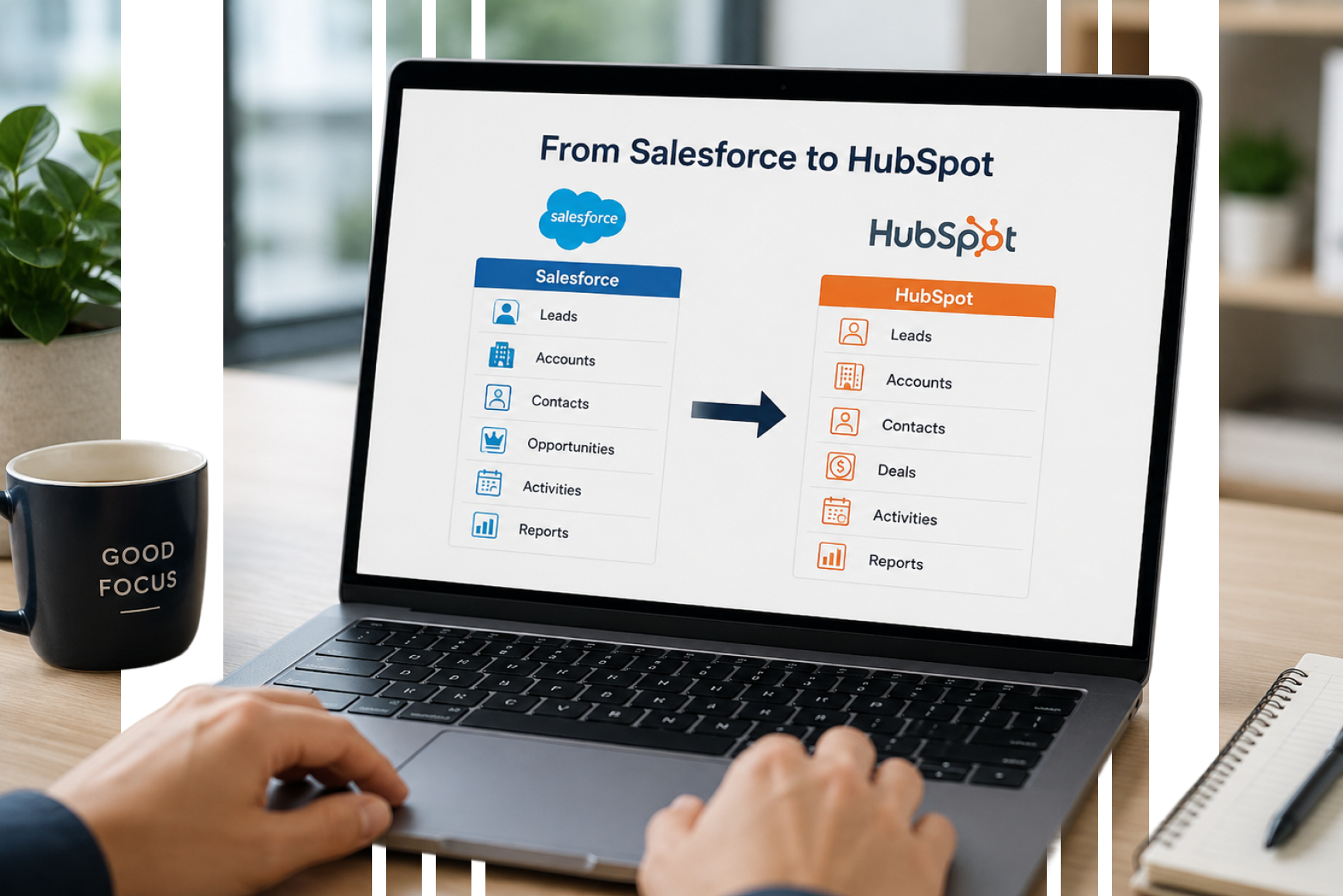
Once the migration scope is clear, export the Salesforce records that need to move into HubSpot. This may include leads, contacts, accounts, opportunities, tasks, and selected historical data.
At this stage, the goal is not to export everything by default. It is to create a controlled data set that reflects the CRM structure you actually want to rebuild in HubSpot.
3. Prepare the import files
Before importing, prepare the files according to HubSpot’s import requirements.
HubSpot notes that without unique identifiers, imports can create duplicate records instead of associating data with the correct existing record.
This is why file preparation should include deduplication, standardization, and clear mapping of key fields.
4. Map objects and associations
A CRM is not just a list of records. Contacts need to be connected to companies. Deals need to be connected to the right accounts and owners. Activities need to provide useful context.
HubSpot supports importing multiple objects and associating records during import, but those associations depend on how the files are prepared.
5. Import in phases
Avoid importing everything at once.
Start with a sample import, validate the structure, check associations, and then move to broader imports. This reduces the chance of creating large-scale data problems.
6. Rebuild workflows and automation
After the core data structure is ready, rebuild the workflows that support current business processes.
HubSpot workflows rely on enrollment triggers and actions, and HubSpot provides a way to test records against workflow enrollment triggers before relying on the workflow in live operations.
This is one of the reasons we recommend rebuilding workflows intentionally, not automatically copying old Salesforce logic.
7. Recreate reports and dashboards
Once data is inside HubSpot, validate the reports leadership needs.
Pipeline, lifecycle, campaign attribution, lead source, sales activity, and conversion reporting should be checked before the team fully relies on HubSpot.
8. Train the team
Even if HubSpot is easier to use, users need to understand the new process.
Sales teams need to know how to manage deals and activities. Marketing needs to understand lifecycle stages, lists, campaigns, and segmentation. Managers need to know which reports are reliable.
9. Go live and monitor adoption
The migration does not end when the data is imported.
During the first weeks, monitor data quality, user behavior, workflow performance, duplicate creation, and reporting accuracy.
HubSpot provides duplicate management and data quality tools that can help teams review and merge duplicate records.
Common Mistakes to Avoid During a CRM Migration
1. Migrating everything from Salesforce without review
This is one of the most common strategic mistakes.
Old fields, outdated reports, unused workflows, and irrelevant historical data can make the new HubSpot portal harder to use from day one.
SAGE recommendation: treat the migration as a cleanup opportunity, not just a transfer.
2. Ignoring unique identifiers and associations
If unique identifiers are missing or inconsistent, imports can create duplicates or fail to associate records correctly. HubSpot’s import documentation is explicit about the importance of unique identifiers for updating, deduplicating, and associating records.
3. Copying old automation logic without asking if it still matters
A workflow that existed in Salesforce is not automatically worth rebuilding in HubSpot.
Before rebuilding automation, ask:
- Does this workflow support a current business process?
- Who owns it?
- What happens if it stops running?
- Is there a simpler HubSpot-native way to do this?
4. Underestimating lifecycle and pipeline design
Lifecycle stages, deal stages, and lead statuses are not just labels. They affect reporting, segmentation, handoff, and management visibility.
HubSpot lifecycle stages are designed to track how contacts and companies move forward in the process. If your business process is different from the default structure, HubSpot allows lifecycle customization.
5. Waiting until go-live to involve sales users
If sales users are not involved before launch, the CRM may look correct technically, but feel wrong operationally.
Sales managers should help validate pipeline stages, required fields, ownership rules, and daily workflows before HubSpot becomes the source of truth.
What to Do First After the Migration
After you migrate from Salesforce to HubSpot, the first priority is validation.
1. Check key records
Review contacts, companies, deals, owners, lifecycle stages, and associations.
2. Validate pipeline accuracy
Make sure deal stages, close dates, owners, amounts, and probabilities reflect reality.
3. Test workflows
Use HubSpot’s workflow testing capabilities to check whether records meet enrollment criteria and move through the workflow as expected.
4. Review duplicate records
Use HubSpot’s duplicate management and data quality tools to identify and resolve duplicate records after migration.
5. Train users by role
Train sales, marketing, managers, and admins according to how each team will actually use HubSpot.
Next Steps: Build a Migration Plan Before You Move the Data
A strong crm migration checklist should help you answer:
- What data should move?
- Which Salesforce fields should become HubSpot properties?
- Which automations should be rebuilt?
- Which reports must be trusted on day one?
- Who validates the migration?
- How will we measure adoption?
At SAGE, we help companies plan and execute HubSpot migrations with a focus on business outcomes, not only technical setup. As a HubSpot Diamond Partner, our role is to help teams move into HubSpot in a way that improves visibility, adoption, automation, and revenue operations.
Planning a Salesforce-to-HubSpot move? Contact us to assess your current CRM structure and define the safest migration path.
FAQs
How long does a Salesforce to HubSpot migration typically take?
The timeline depends on the complexity of your Salesforce setup. A simple migration may be relatively fast, while a more complex project involving multiple objects, historical data, workflows, integrations, and reporting requires more planning and validation. The safest answer is to scope the migration before committing to a timeline.
Will I lose data when migrating from Salesforce to HubSpot?
You should not lose important data if the migration is planned, mapped, tested, and validated properly. The main risks come from poor data preparation, unclear field mapping, missing unique identifiers, or incomplete validation. HubSpot’s documentation highlights the importance of unique identifiers for avoiding duplicates and associating records correctly during import.
Can HubSpot replace all Salesforce features?
HubSpot can replace Salesforce for many companies, especially those that want a connected CRM, marketing, sales, and service platform. But it may not replace every highly customized Salesforce setup one-to-one. The migration should focus on which processes need to be rebuilt in HubSpot, which can be simplified, and which require a different approach.
Do I need a HubSpot partner to run the migration?
For very simple CRM setups, an internal team may be able to handle the migration on its own. But if your Salesforce setup includes multiple objects, custom fields, workflows, integrations, reporting requirements, or historical data, working with an experienced HubSpot partner can significantly reduce risk.
A partner can help you define the migration scope, clean and map the data, rebuild the right processes in HubSpot, test the setup before go-live, and support user adoption after the migration. In most business-critical migrations, the value is not only in moving the data, but in making sure the new CRM is reliable, usable, and aligned with how your teams actually work.
How much does it cost to migrate from Salesforce to HubSpot?
The cost depends on the scope: data volume, number of objects, field complexity, workflow rebuilding, integrations, reporting, training, and post-migration support. A simple import is very different from a full CRM redesign. The best first step is to scope the migration and define what “successful go-live” actually means.